TrackTrace / Beta soon
Every set deserves credits.
TrackTrace turns your recorded DJ sets into verified setlists — automatically. Built for the mixes ShazamKit alone can’t finish.
01 / Why
A setlist is not metadata. It is recognition.
Millions of DJ sets are published every week. The tracks in them go uncredited — not because DJs don’t want to credit, but because writing a 90-minute setlist by ear takes hours. TrackTrace does that hour of work in minutes, then hands you the setlist to verify.
02 / How
Five steps. No spreadsheet.
- 01 / Import
Drag your recorded set into the app. WAV, MP3, AIFF — whatever the recorder exported.
- 02 / Scan
ShazamKit reads the mix in overlapping windows so track transitions don’t get swallowed.
- 03 / Review
Timestamped candidates surface with confidence scores. You see what matched where.
- 04 / Verify
Confirm artist, title, remix, and label. Corrections feed back into the recognition model.
- 05 / Export
TXT, CSV, JSON. A setlist you can post, submit, or hand to a PRO — credits that travel.
02.5 / See
The app, up close.
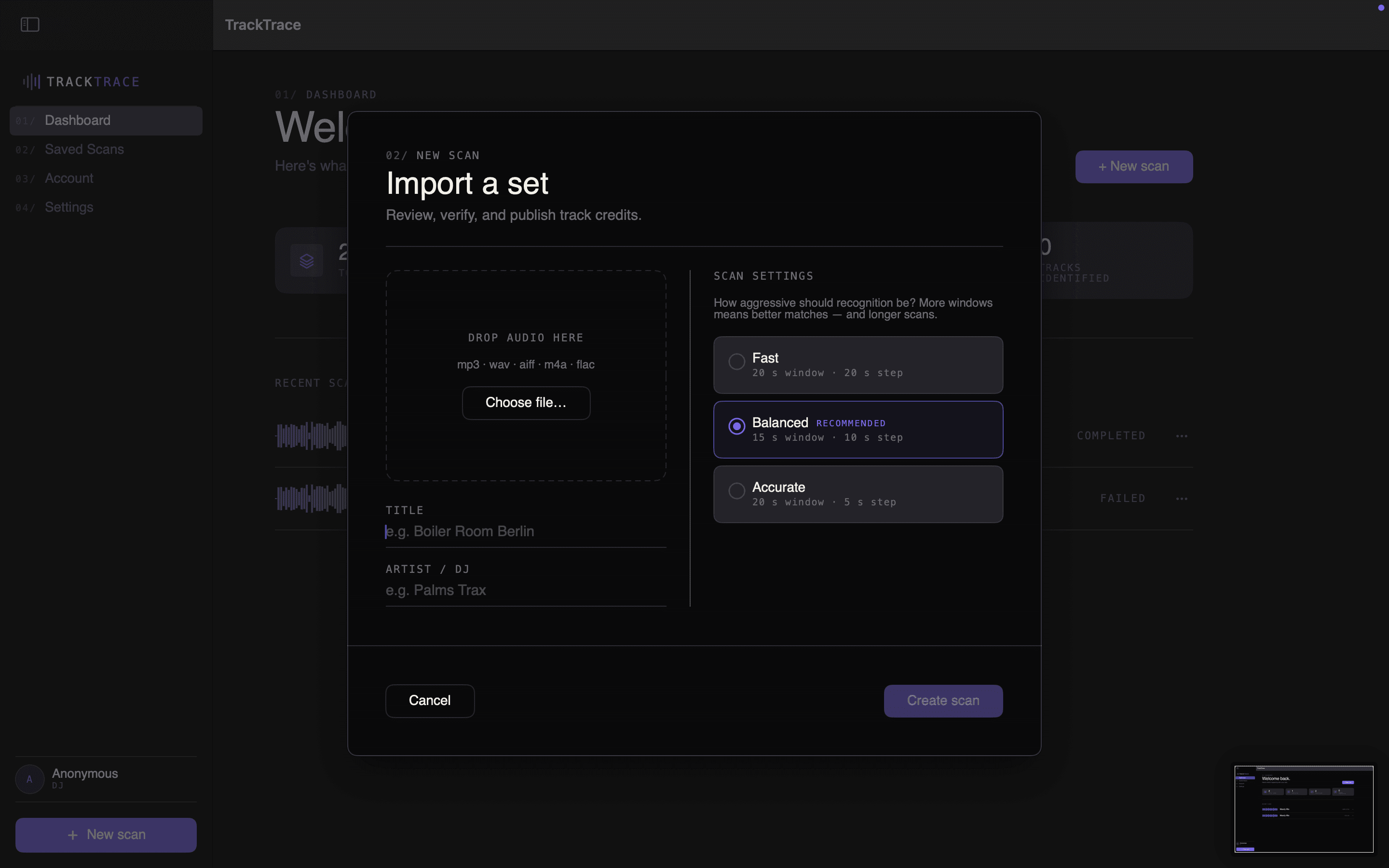
Drag a recorded set in, pick how aggressive you want the scan, hit Create scan.
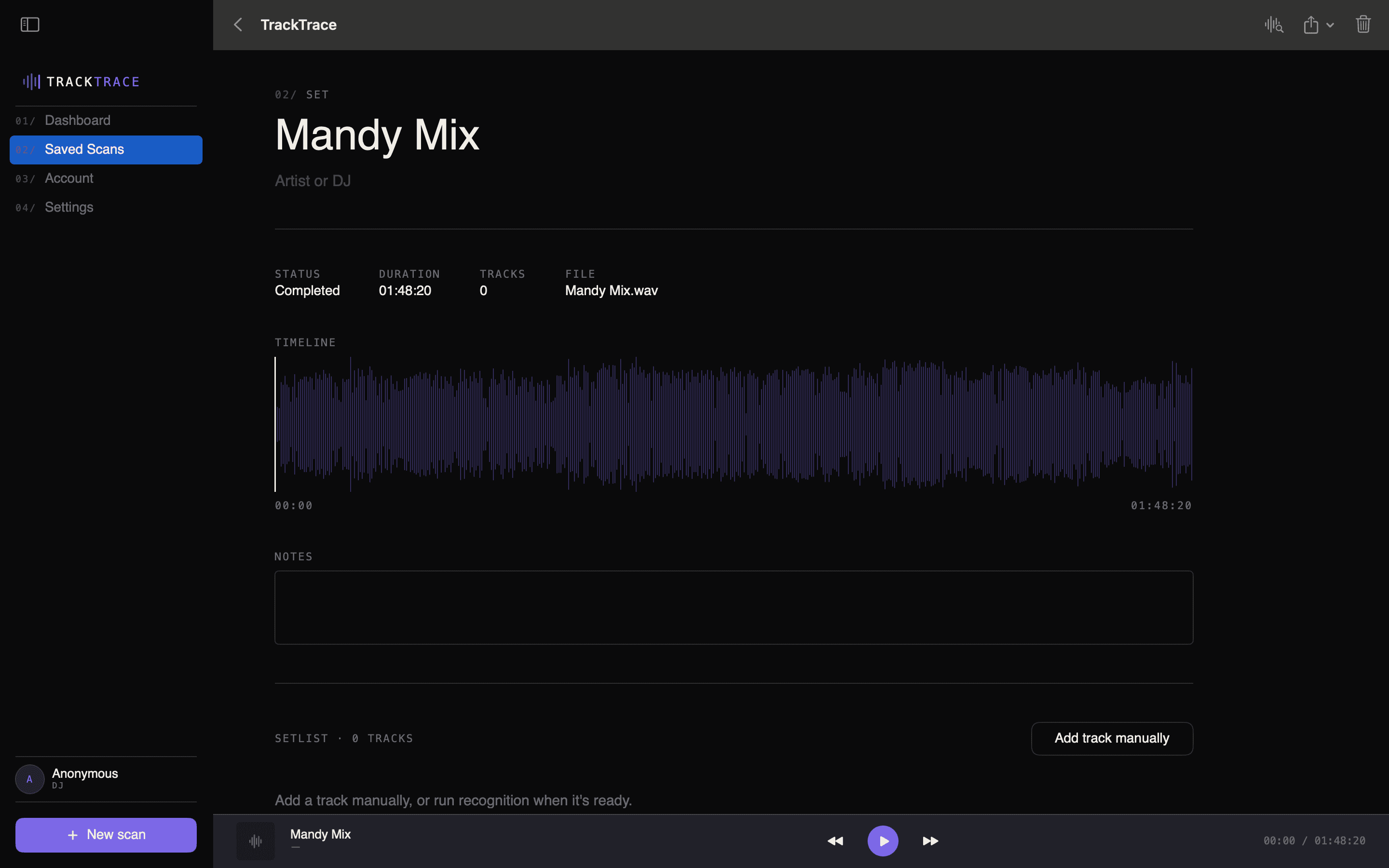
Every scan opens onto its own timeline. Track candidates land as you scroll — you verify what stays.
03 / Who
Built for DJs who care about credit.
TrackTrace is free for DJs, forever. Producer analytics, label intelligence, and the attribution API are how the tool pays for itself — the DJ tool stays free. Free for DJs. Paid where value lives.
04 / Next
Beta opens soon. Want an invite?
We’re onboarding a small group of DJs first. Leave your email and we’ll reach out when your slot opens.